
Understanding Telecoil Technology
Your Guide to T-Coil Hearing Aids

What is Telecoil Technology?
A telecoil (also known as a “T-coil”) is a small copper coil built into your hearing aids that transforms hearing aids into headphones. This innovative technology streams sound directly from the source to your ears, delivering crystal-clear audio without relying on Bluetooth connectivity. To use it, you need to know how to turn on/off the telecoil functionality in your hearing aids and be inside of — or along side — of, a hearing loop.
Telecoil vs. Bluetooth: Why You Need Both
While telecoil functions similarly to Bluetooth, it has a distinct advantage: it works in environments where Bluetooth isn’t available. This is why hearing health professionals recommend purchasing hearing aids equipped with both technologies. The best part? Telecoil typically doesn’t increase the cost of your hearing aids.
Key Takeaway: When shopping for hearing aids, always ask your audiologist about telecoil compatibility and request instruction on how to activate and deactivate it in your hearing aids.
How Does Telecoil Work? Understanding Hearing Loops
Telecoil technology activates when you’re inside or near a hearing loop (also called an induction loop). These loops come in various forms, each designed for a specific situation. Some examples are:
Neckloops – Worn around your neck for personal use
Room loops – Installed throughout venues like theaters or churches
Table loops – Used in meeting rooms, restaurants or your dining room
Pad loops – Portable option that you sit on
Counter loops – Found at service counters and reception desks
Using Telecoil at Home to Stream
Connecting Your TV to Your Hearing Aids
Don’t have Bluetooth on your TV? No problem. You can use telecoil to stream audio directly to your hearing aid. Here is a short video on using telecoil at home. Click Here
What You’ll Need:
A neckloop (worn around your neck)
A long audio cord A 25-foot cable with 3.5 mm plugs on both ends if you are using the the CLA7v2 amplified neckloop. Otherwise be sure one end of the cord is compatible to connect to the neckloop.
Two (2) AAA batteries for the CLA7v2 amplified neckloop.
An audio port on your TV (also called a headphone jack) that is larger size round hole (3.5 mm)
Setup Instructions:Simply connect the audio cord from your TV’s headphone jack to your neckloop. Once connected, activate your telecoil in your hearing aids. If you have an amplified neckloop, turn it on to see a green light. Your hearing aids will stream the TV audio directly to your hearing aids.
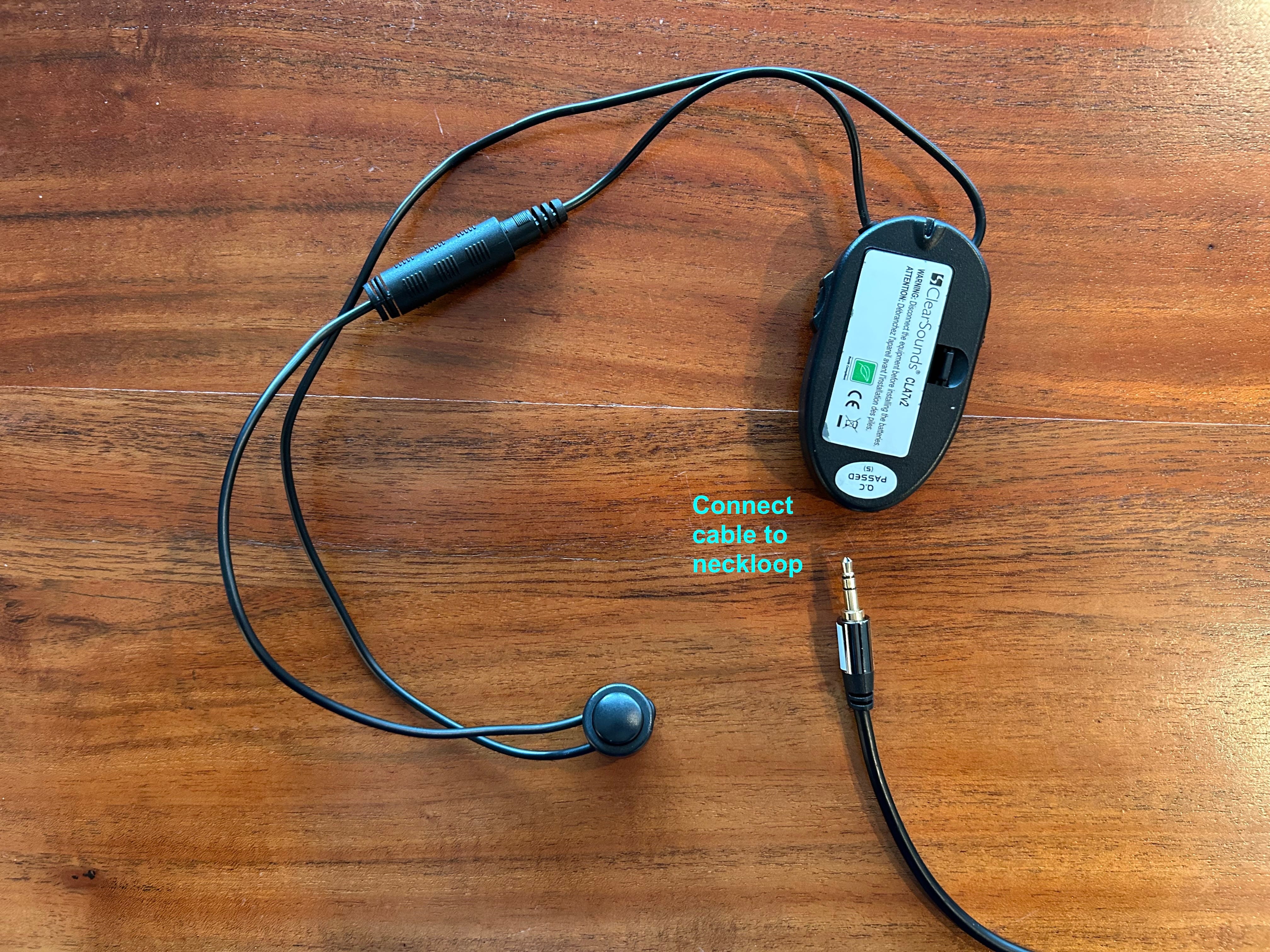
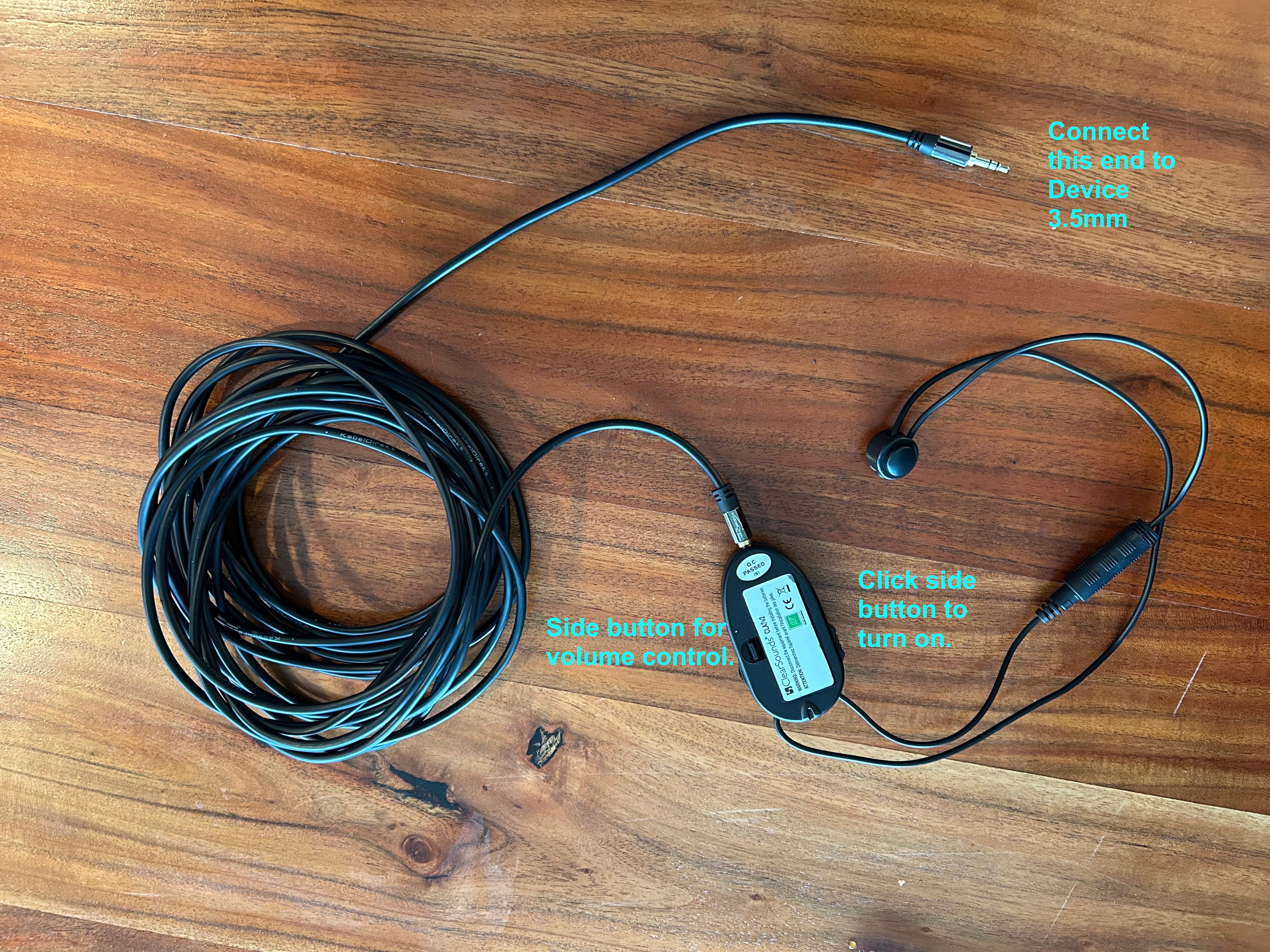
Pro Tip: For enhanced performance, consider an amplified neckloop. Search for “CLA7v2” on eBay to find it, since it is not being manufactured anymore. I paid around $30 for the neckloop with some individual cords in opened box.
Beyond TV: Stream From Multiple Devices
The same neckloop and audio cord setup works with any device that has an audio port.
Desktop and laptop computers
iPads and tablets
iPhones and smartphones
Audiobook players
Any audio device with a headphone jack
This makes telecoil an invaluable solution if your hearing aids don’t have Bluetooth capabilities.
Using Telecoil in Public Venues
How to Identify Hearing Loop-Equipped Spaces
Many public spaces—including houses of worship, theaters, auditoriums, and conference centers—have built-in hearing loop systems. Here’s how to find them:
Look for the Assistive Listening Sign
Venues with hearing loops display an assistive listening sign. If you see a “T” in the corner of that sign, the room has been looped for telecoil use. Here is an example:
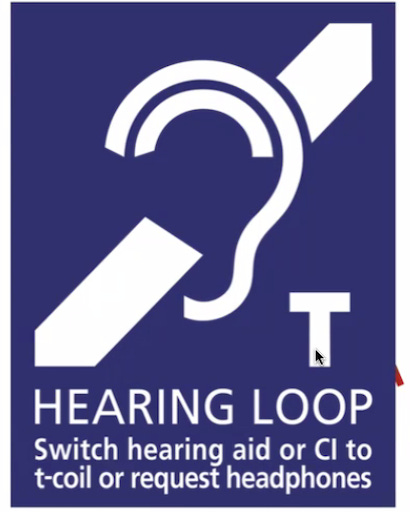
How It Works:When you activate your telecoil in a looped room, your hearing aids function as headphones, streaming audio directly from the venue’s audio system. Room loops are often invisible—installed within the structure itself—so always check for signage.
Check Google Maps Accessibility Information
Before visiting a venue, check its accessibility description on Google Maps to see if it lists hearing loop availability.
Getting Started with Telecoil: Next Steps
Talk to Your Audiologist
When purchasing new hearing aids or during your next audiology appointment:
Request telecoil functionality (if not already included)
Ask for a demonstration of how to turn it on and off
Ask your audiologist if there are public hearing loops available in your area and where you can find a list of them.
Invest in the Right Accessories
For home use, consider purchasing:
A quality neckloop (amplified versions offer better performance)
Extra-long audio cables (25 feet provides flexibility)
Explore Public Venues
Start identifying telecoil-friendly locations in your community:
Places of worship
Movie theaters
Community centers
Government buildings
Museums and cultural venues
The Bottom Line
Telecoil technology significantly expands your hearing aid capabilities, providing seamless audio streaming in both personal and public settings. By combining Bluetooth and telecoil features, you’ll enjoy maximum flexibility and superior sound quality wherever life takes you.
Remember: Telecoil is an accessible, cost-effective solution that works when Bluetooth can’t. Don’t miss out on this valuable feature when selecting your next pair of hearing aids.